
HP QuickDrop1.8.2 - App Store
You'll be able to see results in few seconds.
Publisher Description
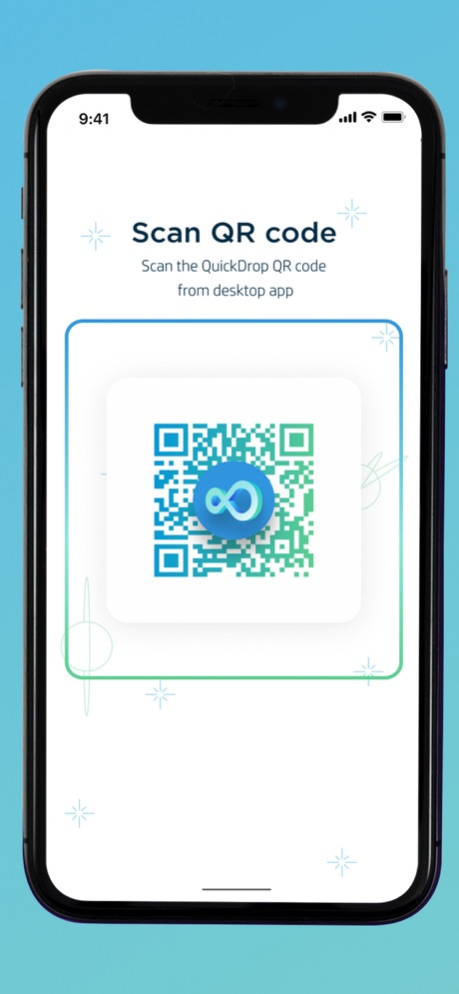

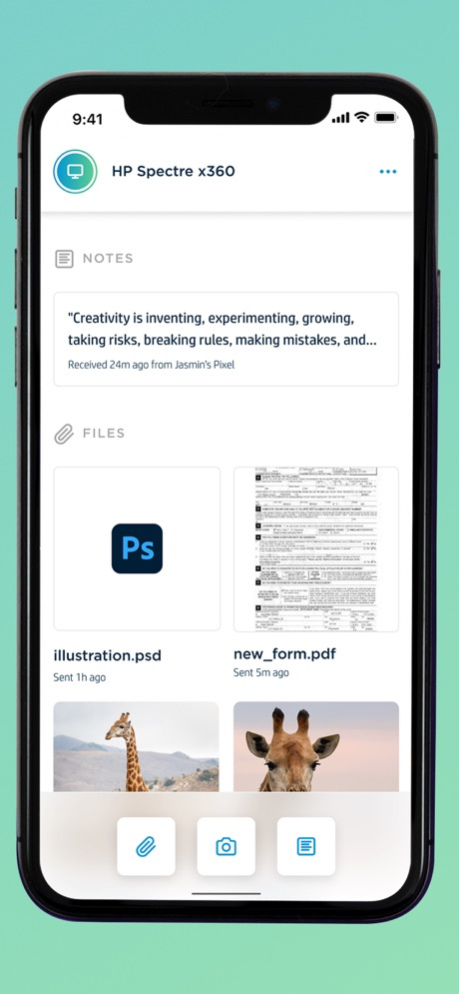
Quickly and securely transfer photos, videos, music files, documents, URLs, and more between your HP PC and iPhone or iPad with the push of a button. Pair multiple devices at once to share between all of your devices. View and respond to SMS notifications with Quick Reply.
Forget the hassle of emailing photos, compressing videos, or waiting around for your cloud files to update. HP QuickDrop transfers media and text in a flash, giving you more time to focus on what matters. No need for cables or Bluetooth, you can transfer files between your devices no matter the distance.
NOT compatible with HP Orbit. Requires HP QuickDrop PC companion app installed on a HP PC (available on the Microsoft Store). Please make sure you have the NEW HP QuickDrop application downloaded on your HP PC. The old HP Orbit application on your HP PC will not pair with HP QuickDrop.
Instructions:
1. Download this app for your mobile device
2. Download & install or open the HP QuickDrop application on your HP PC (available on the Microsoft Store).
3. Please ensure you are using HP QuickDrop on your PC and not HP Orbit
4. Launch HP QuickDrop and follow the pairing directions on your mobile device
Features:
• Share across OS ecosystems (Windows and iOS)
• Send photos, videos, notes, files, PDFs, URLs, and more
• View and respond to SMS notification using Quick Reply
• Easy, one-time pairing
• Pair multiple devices and switch between them easily
• Quick and secure transfers, even of large files
• Enter a message to share notes, URLs, or addresses to your device
• Share photos directly to QuickDrop or browse your files to send
• Quickly share to social media without leaving the app
Requirements:
• Not compatible with HP Orbit
• Requires a 2017 or newer HP PC
• Requires HP QuickDrop PC companion app installed
• Windows 10 Home edition, 19H1 or higher
• iOS 13.0 or higher
Questions? Visit https://support.hp.com/us-en/document/c06535756 for support.
Jun 1, 2023
Version 1.8.2
i. Added support for having multiple devices paired to your PC
ii. Updated visual design with light and dark mode
iii. Bug fixes
About HP QuickDrop
The company that develops HP QuickDrop is HP Inc.. The latest version released by its developer is 1.8.2.
To install HP QuickDrop on your iOS device, just click the green Continue To App button above to start the installation process. The app is listed on our website since 2023-06-01 and was downloaded 0 times. We have already checked if the download link is safe, however for your own protection we recommend that you scan the downloaded app with your antivirus. Your antivirus may detect the HP QuickDrop as malware if the download link is broken.
How to install HP QuickDrop on your iOS device:
- Click on the Continue To App button on our website. This will redirect you to the App Store.
- Once the HP QuickDrop is shown in the iTunes listing of your iOS device, you can start its download and installation. Tap on the GET button to the right of the app to start downloading it.
- If you are not logged-in the iOS appstore app, you'll be prompted for your your Apple ID and/or password.
- After HP QuickDrop is downloaded, you'll see an INSTALL button to the right. Tap on it to start the actual installation of the iOS app.
- Once installation is finished you can tap on the OPEN button to start it. Its icon will also be added to your device home screen.
Program Details
System requirements
Download information
Pricing
Version History
version 1.8.2
posted on 2023-06-01
Jun 1, 2023
Version 1.8.2
i. Added support for having multiple devices paired to your PC
ii. Updated visual design with light and dark mode
iii. Bug fixes
version 1.8.1 (991)
posted on 2022-03-03
Mar 3, 2022 Version 1.8.1 (991)
i. Added support for having multiple devices paired to your PC
ii. Updated visual design with light and dark mode
iii. Bug fixes
version 1.8.0 (880)
posted on 2022-01-10
Jan 10, 2022 Version 1.8.0 (880)
i. Added support for having multiple devices paired to your PC
ii. Updated visual design with light and dark mode
iii. Bug fixes
version 1.7.0 (818)
posted on 2021-12-07
Dec 7, 2021 Version 1.7.0 (818)
i. Added support for having multiple devices paired to your PC
ii. Updated visual design with light and dark mode
iii. Bug fixes
Disclaimer
Official App Store Link
We do not host HP QuickDrop on our servers. We did not scan it for viruses, adware, spyware or other type of malware. This app is hosted by Apple and passed their terms and conditions to be listed there. We recommend caution when installing it.
The App Store link for HP QuickDrop is provided to you by apps112.com without any warranties, representations or guarantees of any kind, so access it at your own risk.
If you have questions regarding this particular app contact the publisher directly. For questions about the functionalities of apps112.com contact us.
